

Before we dive in, why not take a quick peek at my portfolio: https://priyalraj.com, & while you’re at it, check out my SaaS venture: https://shavelinks.com, it’s where innovation meets simplicity.
Have you ever come across a website with an amazing color combination and wanted to use those exact colors in your own design projects? Finding the hex codes of those colors manually can be a challenge, but there’s a quick and easy solution to this problem.
Introducing ColorZilla: The Color Picker Tool You Need
ColorZilla is a powerful Chrome extension that allows you to extract the hex code of any color from any website with just a few clicks. Here’s a step-by-step guide on how to use it:
Install ColorZilla:
Open your Chrome browser and go to the Chrome Web Store.
Search for ColorZilla in the search bar.
Click “Add to Chrome” to install the extension in your browser.
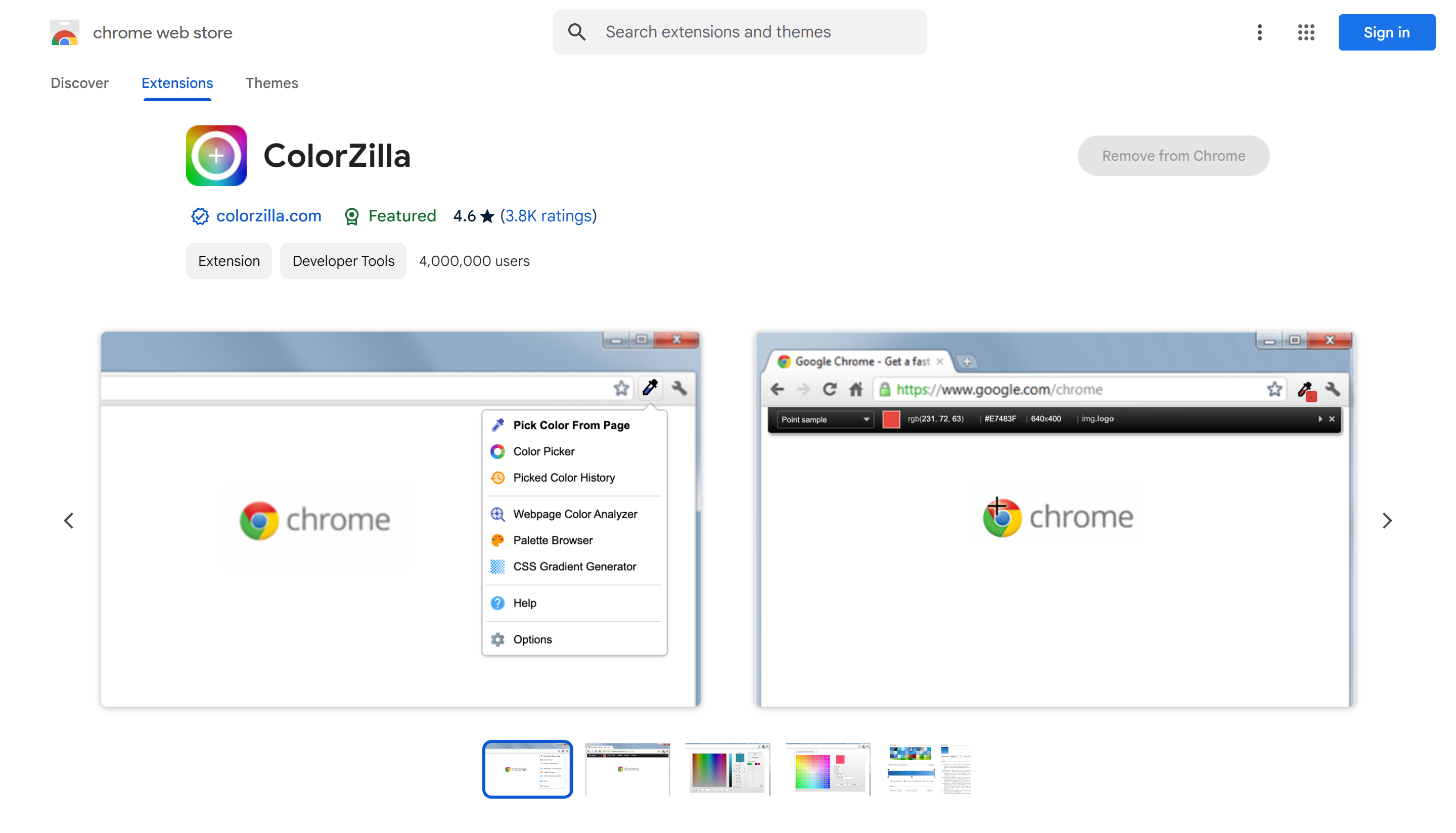
- Using ColorZilla to Pick Colors:
Once ColorZilla is installed, visit the website with the color you want to extract.
Click on the ColorZilla icon in your browser’s toolbar.
Select “Page Color Picker” from the options.
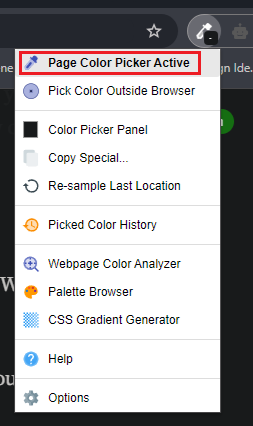
A cursor with a plus sign will appear. Hover it over the color you want to pick and click.
Boom! The hex code of the color is now copied to your clipboard.
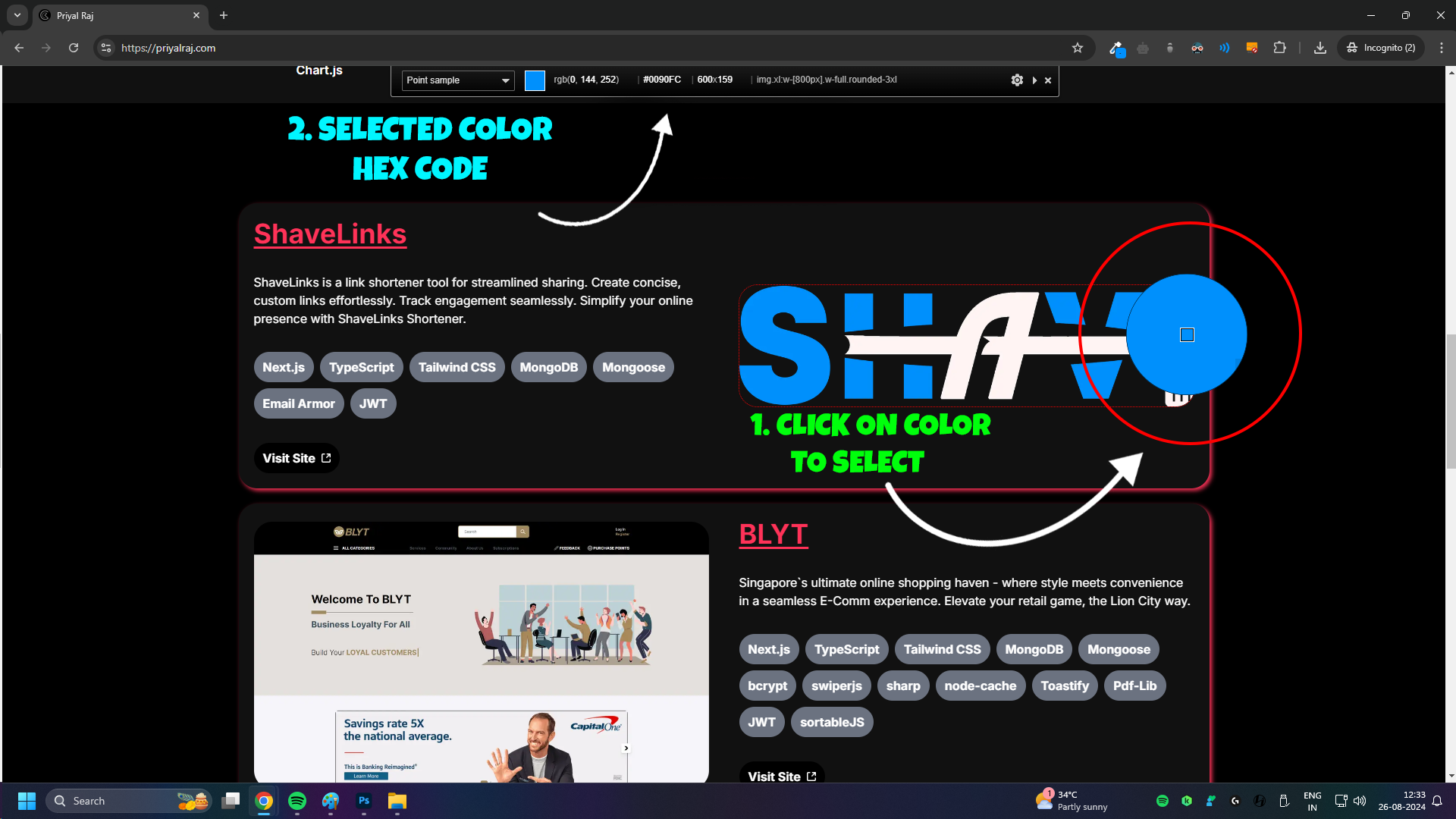
3. Practical Example: Watch a live practical video here.
Why ColorZilla is a Must-Have Tool
ColorZilla is incredibly simple to use and saves time, especially for designers, developers, and anyone who works with color schemes. Whether you’re creating a website, designing a graphic, or just want to replicate a color you’ve seen online, ColorZilla makes it easy.
Final Thoughts
If you found this guide helpful, be sure to like, share, and subscribe. Let us know in the comments if you have other favorite tools for web design or color picking. Happy designing!
If you enjoyed this article, please make sure to Like, Comment and follow me on Twitter.


Priyal Raj
Full Stack Developer with 3+ years building production web apps for founders and product teams worldwide. I write about Next.js, Node.js, TypeScript, Redis, and everything in between.