
Before we dive in, why not take a quick peek at my portfolio:
https://priyalraj.com, & while you’re at it, check out my SaaS venture: https://shavelinks.com, it’s where innovation meets simplicity.
In an era where computers are a source of income, it is pretty easy to get lost in the amount of time each one of us spends on any particular application. The reason behind monitoring PC usage is the fact that it helps an individual manage his/her time well to increase the level of productivity and ensure a healthy balance between work and leisure activities. This guide will lead you on how to monitor effectively your PC usage with this tool.
Why Track Your App Usage?
Understanding how you spend your time on your PC can lead to:
Increase in Productivity: Identify time wasting apps and focus on what’s important.
Better Time Management: Allocate your time wisely across tasks and projects.
Introducing the App Usage Tracker
There’s this brilliant tool that can show you precisely how much time you spend using every app throughout the day. It’s user-friendly and provides insightful data to help you understand and manage your digital habits. The app’s name is Digital Wellbeing.
How to Get Started (Installation)
Download the App: Click here to Download.
Install the App: Run the installer and follow the simple instructions.
Installing the app is straightforward, almost as simple as betraying someone these days!
How to Use Digital Wellbeing
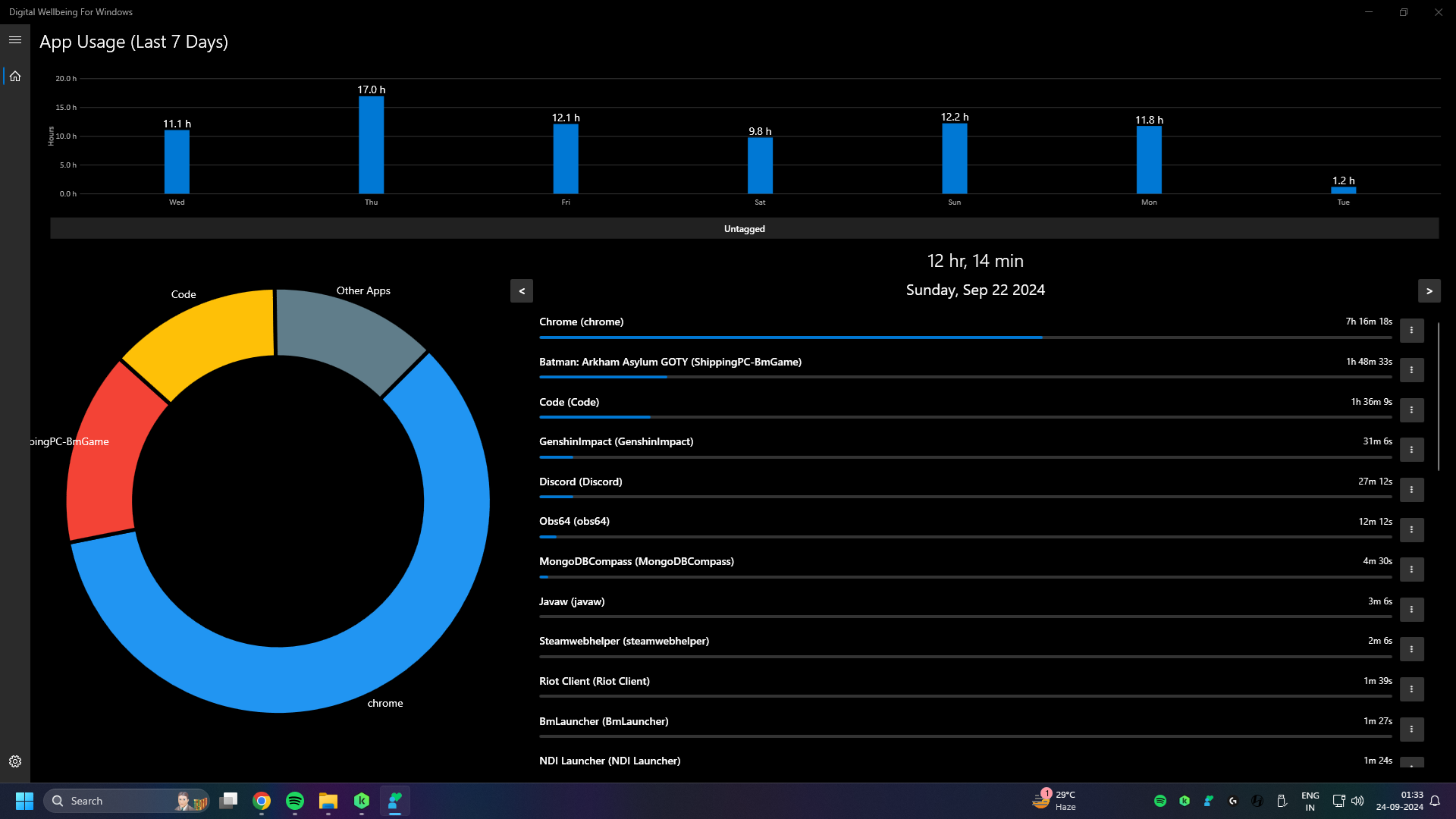
Once the install is done, use your PC as normal. It runs in the background, watching your application usage without bothering your workflow. First, give the app a day to track your usage pattern. After 24 hours, open up the app for your detailed statistics on usage.
What You’ll Find
Detailed Breakdown: See exactly how much time you’ve spent on each application.
Usage Patterns: Identify which apps consume most of your time.
To see my personal usage stats and a detailed installation guide, check out my full video here. I walk you through each step and share some surprising insights from my own experience.
If you enjoyed this article, please make sure to Like, Comment and follow me on Twitter.

Priyal Raj
Full Stack Developer with 3+ years building production web apps for founders and product teams worldwide. I write about Next.js, Node.js, TypeScript, Redis, and everything in between.